
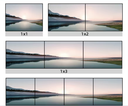
VideoWall 4K Mediaplayer + 8x Pusbbutton inputs
Product Code: AC-ATMP1508-V50.0-4K-VideoWall
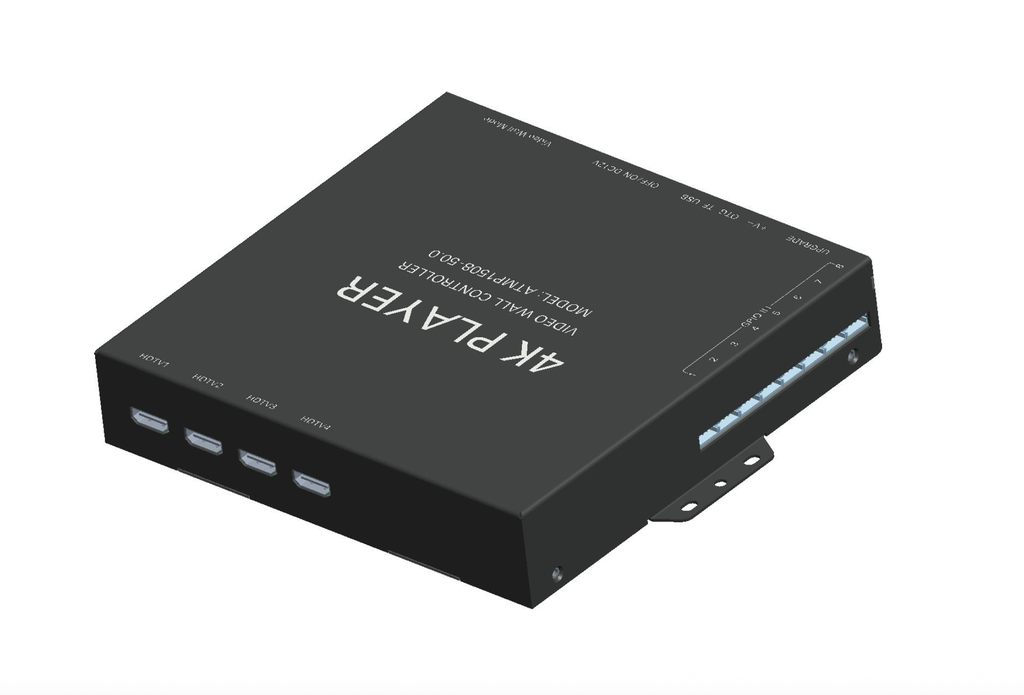
4K Resolution Mediaplayer for Videowall - 4x HDMI OUT.
Internal Android OS system, with Retail software app.
Internal Memory 2GB-16GB
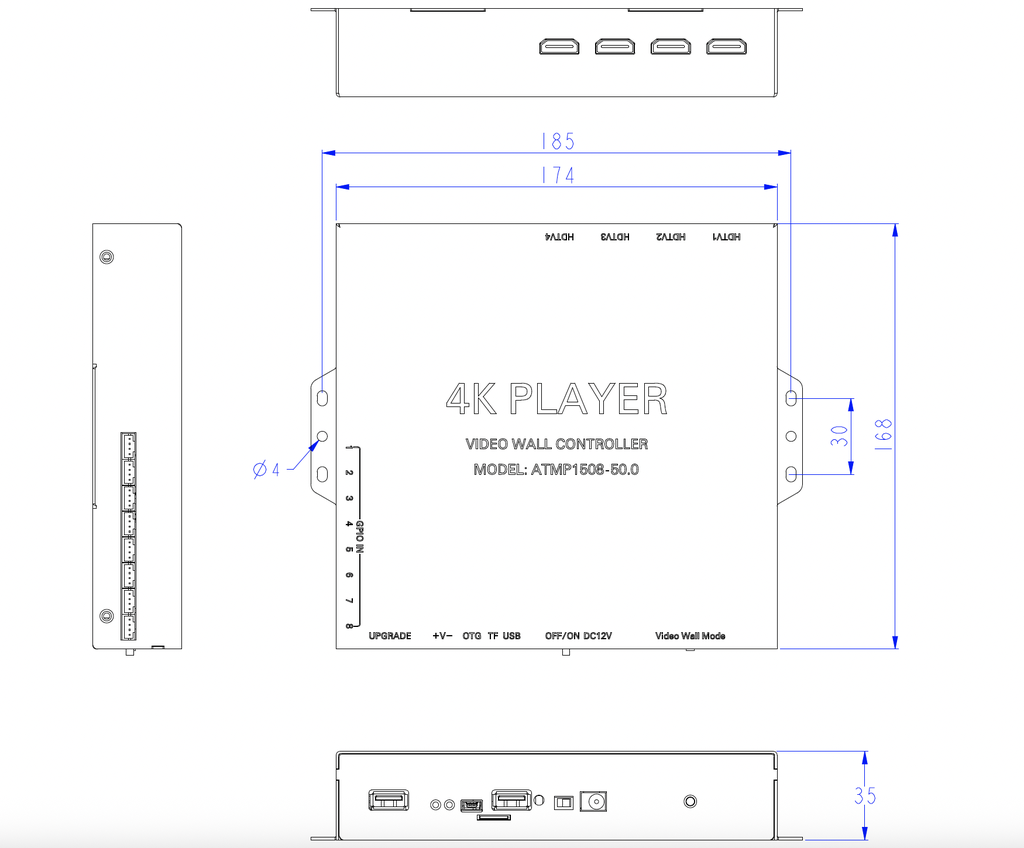
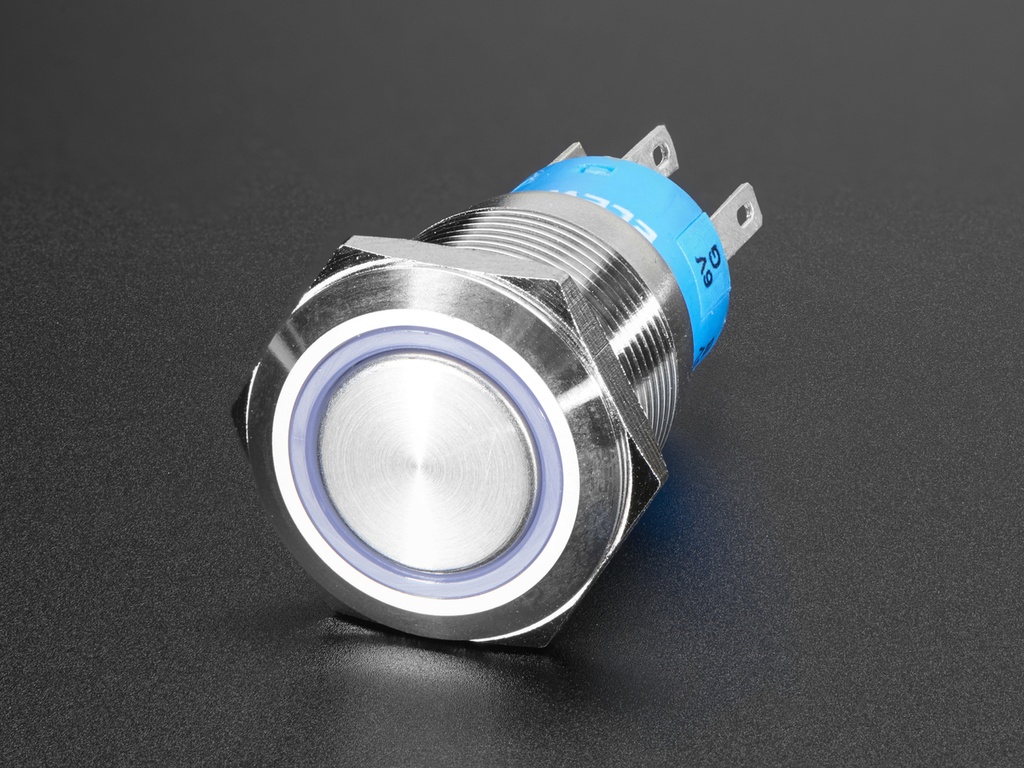
8x input for Pushbuttons for example:
- 6x input button for Selecting Video (JST connection) - Function can be adjusted according to needs.
-2x input button for Volume up and down (JST connection)
4x HDMI OUT
2x USB (files and auto update function)
1s USB Mini (upgrade the internal OS system)
1x 12V IN
Including 12V-1.5A EU power adapter (AC-DC).
Videowall Controller
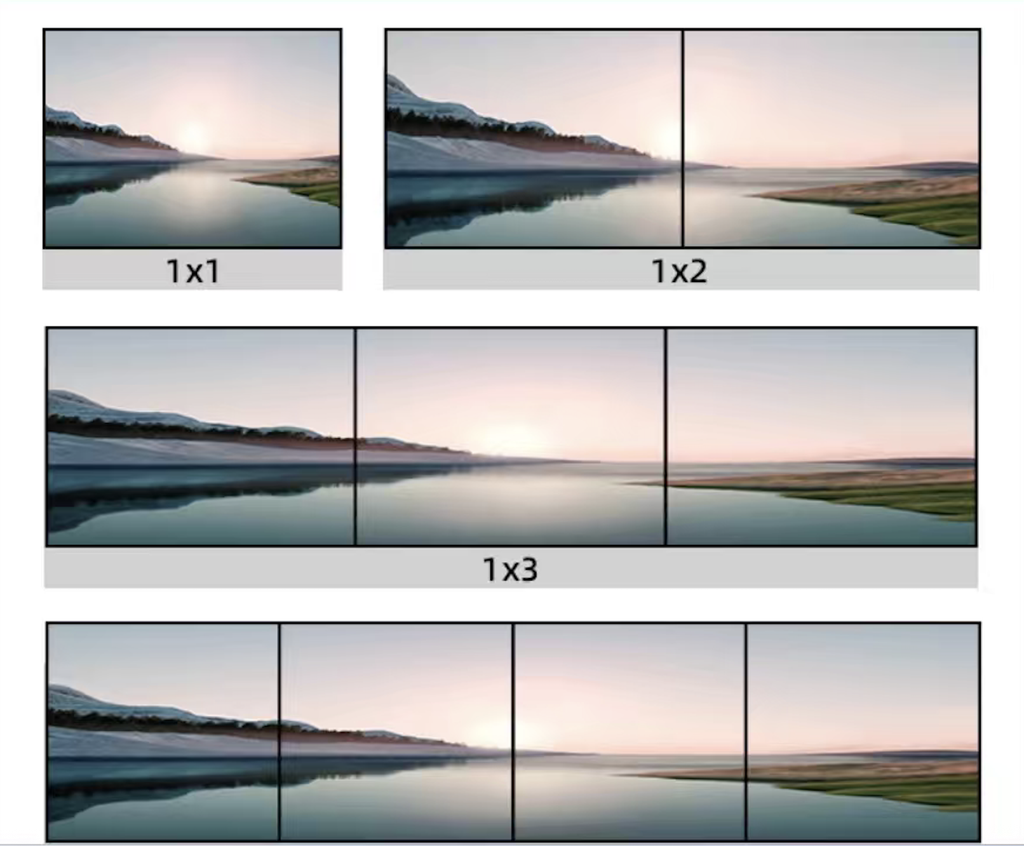
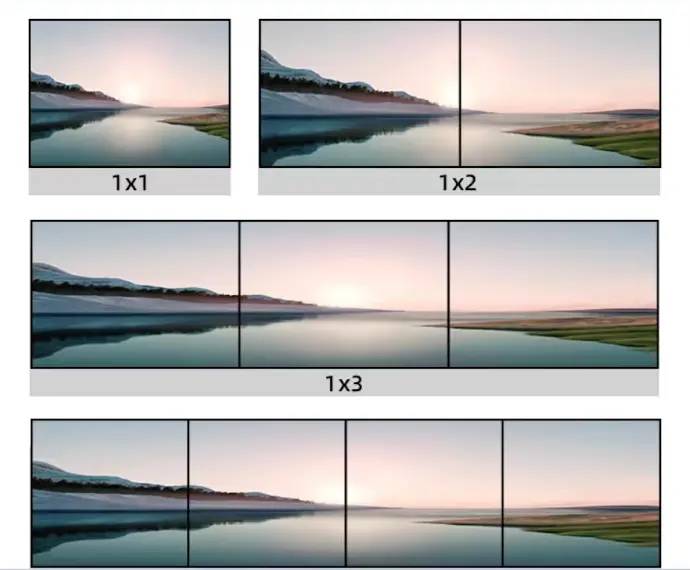
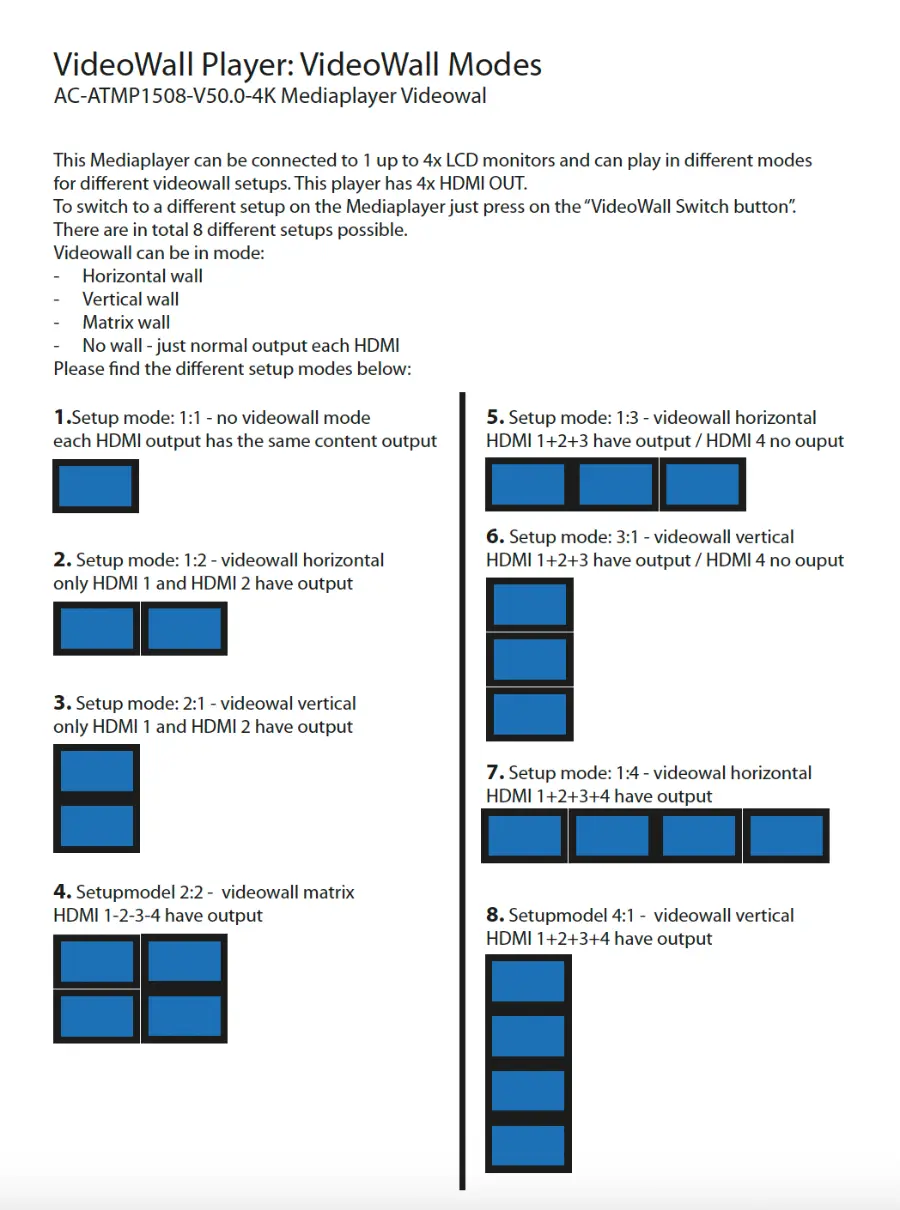
1x Mediaplayer to connect to maximum 4x HDMI Monitors, to play video wall function as shown on the picture on the left.
Extra feature: 8x Pushbutton Input, to select a video to play one time. When nothing pressed it will play a looping video.
4K resolution
This 4K Mediaplayer can play 4K resolution videos. Maximum 3840x2160 resolution. Playable format: .MP4
When using this mediplayer in one of the videowall mode setups , automatically the content will be splitted into the correct parts and will play on each monitor the correct part of the video. Please find more info about videowall modes in a seperate info PDF.
Shop Now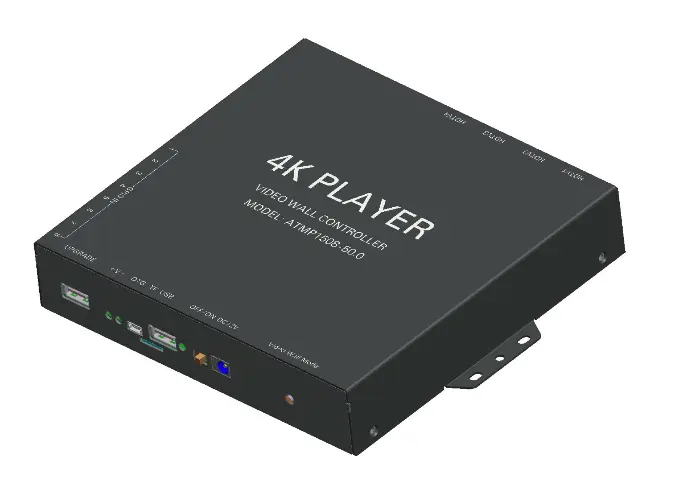
VideoWall Player: Content Setup
You should build your content as one video, and the mediaplayer will split the video content automatically.
Build you content in the following suggested resolutions:
Matrix Videowall
2x vertical and 2x horizontal monitor setup: 3840x 2160 pixels
Horizontal Videowall
2x monitors horizontal setup: 3840 x 1080 pixels
3x monitors horizontal setup: 3840 x 720 pixels
4x monitors horizontal setup: 3840 x 540 pixels
Vertical Videowall
2x monitors vertical setup: 1920 x 2160 pixels
3x monitors vertical setup: 1280 x 2160 pixels
4x monitors vertical setup: 960 x 2160 pixels
Optional:
Pushbutton Controll
There can be added directly into this mediaplayer: external pushbuttons to interact with the content:
6x Pushbuttons to select a video, and play it 1 time and then turns back to the attraction video.
2x Pushbuttons to control the volume level up and down
When nothing is pushed it will play the attraction video all the time.
If you use these triggers to control the videos, you should rename your videos like this:
- Looping video = mu.mp4
- Video under button 1 = 00.mp4
- Video under button 2 = 01.mp4
- etcetera
Other Triggers
Besides pushbuttons, we can also supply other triggers, like: Capacitive touch buttons, Touchless button sensors, Light sensors, Magnet sensors, RFID triggers, Motion detection sensors, etcetera. Find here the triggers on our website.
LED light
LED light strips or panels can be provided and connect to the player, for interactive light in combination with the pushbuttons, or static light, just to light up f.i. a brand logo. Find here the LED light products on our website or ask for more info.
Other Mediaplayer option:
Mediaplayer to demontrate multiple Speakers or Headphones
4K Resolution Mediaplayer for Retail demonstration (Speakers / Headphones / Soundbars)
Internal Android OS system, with Retail software app.
Internal Memory 16GB
6x input button for Selecting Video (JST connection) - Function can be adjusted according to needs.
2x input button for Volume up and down (JST connection)
6x output 3.5mm Jack portals
1x HDMI OUT
1x LAN
1x USB (files and auto update function)
1x USB (upgrade the internal OS system)
1x 12V IN
1x 12V OUT (optional)
Including 12V power adapter (AC-DC).
DEMONSTRATION:
Videowall Controller
1x Mediaplayer to connect to maximum 4x HDMI Monitors, to play video wall function as shown on the picture on the left.
Extra feature: 8x Pushbutton Input, to select a video to play one time. When nothing pressed it will play a looping video.
4K resolution
This 4K Mediaplayer can play 4K resolution videos. Maximum 3840x2160 resolution. Playable format: .MP4
When using this mediplayer in one of the videowall mode setups , automatically the content will be splitted into the correct parts and will play on each monitor the correct part of the video. Please find more info about videowall modes in a seperate info PDF.
Shop Now
VideoWall Player: Content Setup
You should build your content as one video, and the mediaplayer will split the video content automatically.
Build you content in the following suggested resolutions:
Matrix Videowall
2x vertical and 2x horizontal monitor setup: 3840x 2160 pixels
Horizontal Videowall
2x monitors horizontal setup: 3840 x 1080 pixels
3x monitors horizontal setup: 3840 x 720 pixels
4x monitors horizontal setup: 3840 x 540 pixels
Vertical Videowall
2x monitors vertical setup: 1920 x 2160 pixels
3x monitors vertical setup: 1280 x 2160 pixels
4x monitors vertical setup: 960 x 2160 pixels
Optional:
Pushbutton Controll
There can be added directly into this mediaplayer: external pushbuttons to interact with the content:
6x Pushbuttons to select a video, and play it 1 time and then turns back to the attraction video.
2x Pushbuttons to control the volume level up and down
When nothing is pushed it will play the attraction video all the time.
If you use these triggers to control the videos, you should rename your videos like this:
- Looping video = mu.mp4
- Video under button 1 = 00.mp4
- Video under button 2 = 01.mp4
- etcetera
Other Triggers
Besides pushbuttons, we can also supply other triggers, like: Capacitive touch buttons, Touchless button sensors, Light sensors, Magnet sensors, RFID triggers, Motion detection sensors, etcetera. Find here the triggers on our website.
LED light
LED light strips or panels can be provided and connect to the player, for interactive light in combination with the pushbuttons, or static light, just to light up f.i. a brand logo. Find here the LED light products on our website or ask for more info.
Other Mediaplayer option:
Mediaplayer to demontrate multiple Speakers or Headphones
4K Resolution Mediaplayer for Retail demonstration (Speakers / Headphones / Soundbars)
Internal Android OS system, with Retail software app.
Internal Memory 16GB
6x input button for Selecting Video (JST connection) - Function can be adjusted according to needs.
2x input button for Volume up and down (JST connection)
6x output 3.5mm Jack portals
1x HDMI OUT
1x LAN
1x USB (files and auto update function)
1x USB (upgrade the internal OS system)
1x 12V IN
1x 12V OUT (optional)
Including 12V power adapter (AC-DC).
DEMONSTRATION: